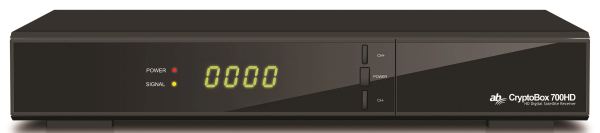
This receiver successfully builds on the previous popular AB CryptoBox 6XX series receivers. The distributor of AB CryptoBox receivers is the Slovak company AB-COM, sro, thanks to which you can now get acquainted in detail with the receiver. ▲ Fig. No. 1 – AB CryptoBox 700HD, front panel (manufacturer’s photo)
AB CryptoBox 700HD is a single tuner satellite receiver that allows reception of SD and HD programs in DVB-S and DVB-S2 standards with MPEG-2, MPEG-4 / H.264 compression and now with HEVC / H.265. The receiver is able to work in video resolution up to 1080p. (This is not a 4K receiver)
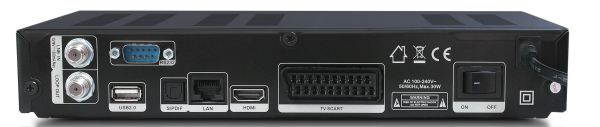
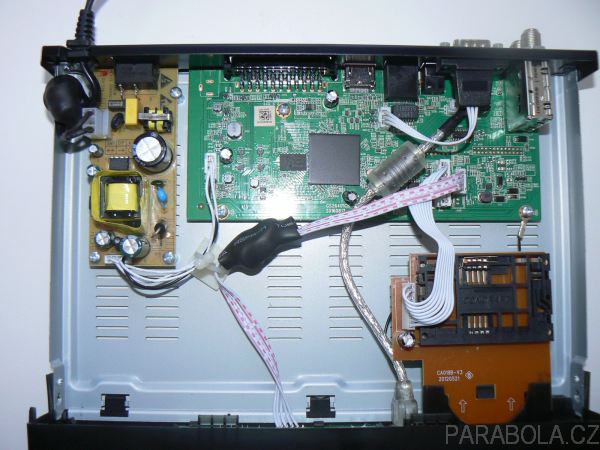
The heart of the receiver is a modern dual-core processor ALI M3526 with a clock frequency of 1GHz and a value of 2000 DMIPS. This receiver is ideal for all undemanding customers, even Skylink or freeSAT satellite operators who do not want to have a Skylink Ready satellite receiver or a customer box from UPC DTH , which have a number of limitations. ▲ Fig. No. 2 – AB CryptoBox 700HD, rear panel (manufacturer’s photo) The software of AB CryptoBox receivers includes the Auto FastScan function
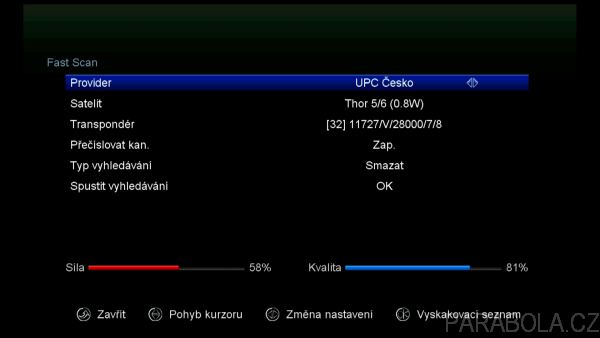
With this function you can easily and quickly tune in the offer of a number of satellite operators. Of course, Skylink is not missing among them, but there is also UPC (freeSAT) and it does not occur much in satellite receivers with FastScan.
The AB CryptoBox 700HD model has a built-in universal decoder with one decoder card reader. The receiver is equipped with two USB ports. One is on the front panel, which is suitable for firmware updates, program list backups, etc. The other port can be found on the rear panel of the receiver, where it is convenient to connect a recording device, such as a USB hard drive
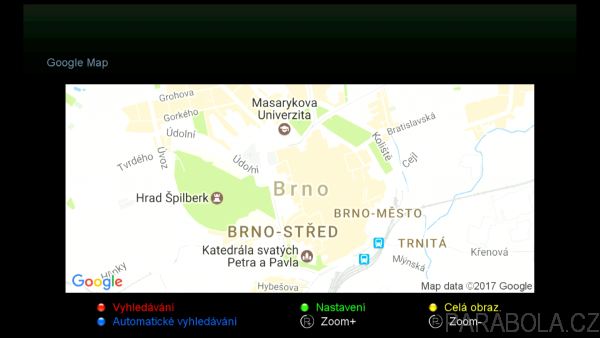
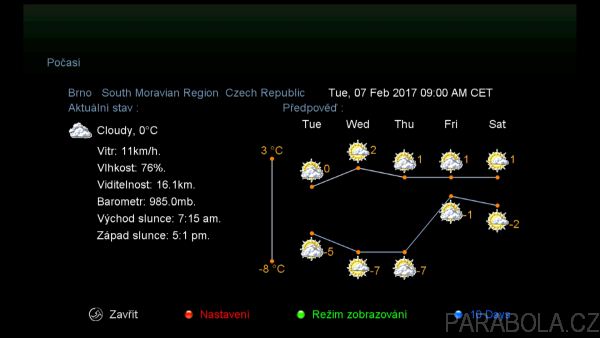
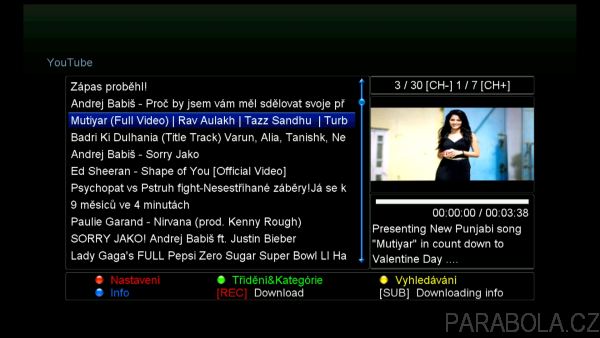
The receiver also has decent multimedia features. The media player can play a variety of AV formats. The device also has a Youtube and Dailymotion player. There are also a number of applications such as “weather”, RSS reader, stock index, Google maps and Net Photo (Flickr). You can also use this receiver to play IPTV Internet TV streams.
Description of the receiver
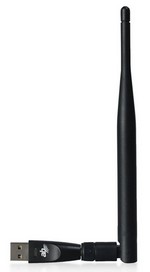
The receiver is supplied in black with dimensions 260 x 40 x 190 mm (W x H x D). On the front panel there is a four-digit 7-segment display and basic buttons for operating the receiver. Under the hinged lid we find a decoder card reader with a built-in universal decoder and one USB 2.0 port. ▲ Fig. No. 4 – AB CryptoBox 700HD, Wi-Fi dongle with 5dBi antenna (manufacturer’s photo) On the rear panel we find the input and output of the satellite tuner, SCART connector, optical audio S / PDIF connector, USB 2.0 connector, service RS232 port and cradle switch. There is an HDMI connector for connection to your LCD or Plasma TV and of course there is also an Ethernet 10/100 Mbit / s network interface
Receiving programs and receiver behavior
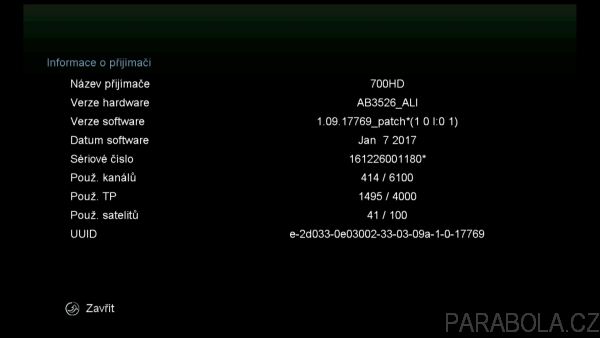
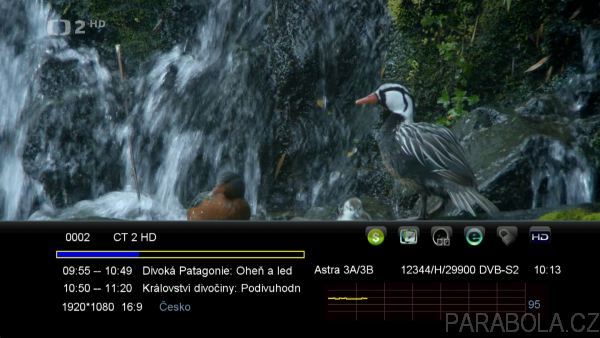
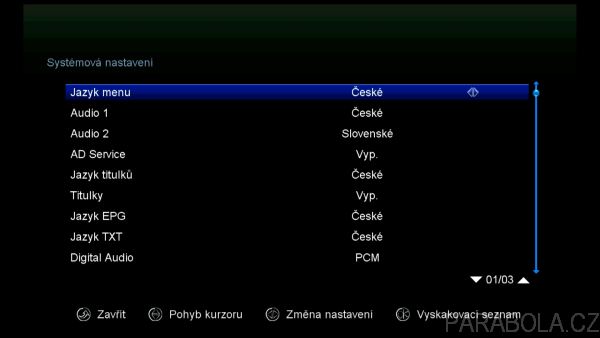
I already had the last available factory software version 1.09.17769 (from 7.1.2017) installed in the receiver. The menu is available in many languages, including Czech and Slovak. There is also a so-called patch software for each AB CryptoBox receiver. ▲ Fig. No. 6 – AB CryptoBox 700HD, Info bar This is completely identical to the factory software, in addition it contains only the function of emulation of coded programs (eg PowerVU coding system) and also the function of sharing a decoder card. newcamd or cccam protocol. These functions are located in a hidden menu, which you can access by pressing the MENU button, select the X-route menu and enter 0000.
receiver allows to store 6000 programs. It allows you to store 4000 transponders and 100 satellites. DiseqC 1.0, 1.1, 1.2 and 1.3 (USALS) protocol support is a matter of course.
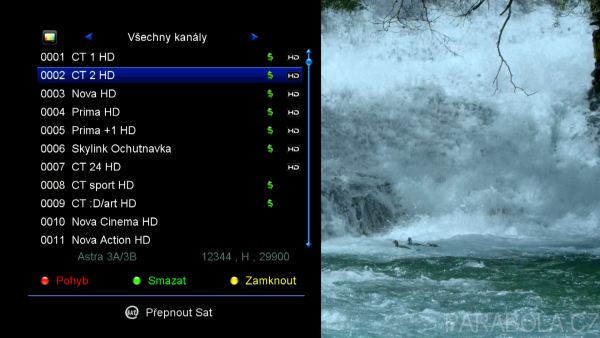
When you start the receiver for the first time, the installation wizard pops up on the screen, which is simple and clear. First, select the menu language and leave the choice of a simple type of installation, which is designed for quick search of Skylink satellite operator programs.
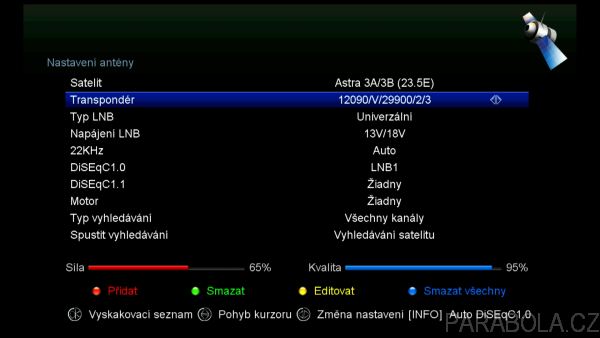
The receiver first automatically detects the position of the DiseqC switch for the Astra 23.5 ° East and Astra 19.2 ° East satellites, and then starts searching for programs using the FastScan function. Now all you have to do is insert the Skylink decoder card (chip down) into the receiver and we can watch the Skylink menu programs.
By default, the receiver operates in Auto FastScan mode when searching for programs quickly, which means that the menu in the receiver will be updated whenever the program menu is changed. This behavior is identical to Skylink Ready receivers or customer boxes supplied by UPC. Thus, the receiver constantly maintains the current menu of operator programs without user intervention. This is certainly very pleasant.
The Auto FastScan function can also be switched off in the menu or started manually if required.
Searching for programs other than the Auto FasScan function is possible automatically or manually. The automation searches for all entered transponders on the satellite, the transponder list can of course be edited, as can the entire satellite. The second option is to use manual transponder search.
The receiver supports the HEVC codec, which means that it is able to process programs in HD and SD resolution that will be broadcast in the future with the HEVC codec.
The program list can be edited, programs can be moved, deleted, locked and renamed. You can even manipulate program blocks. You can then easily back up such a modified program list to a USB flash drive.
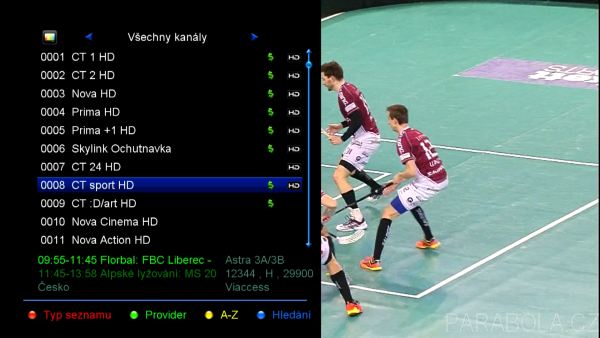
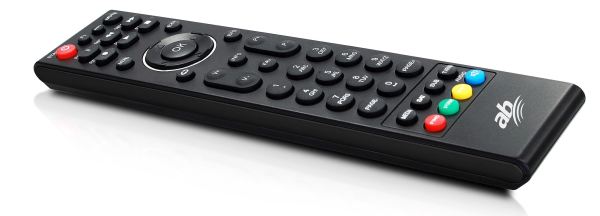
Programs can be added to 26 favorite groups. The remote control is used the same as in previous AB CryptoBox models. The directionality of the remote control is narrower, the buttons are pressed well and the control is clear.
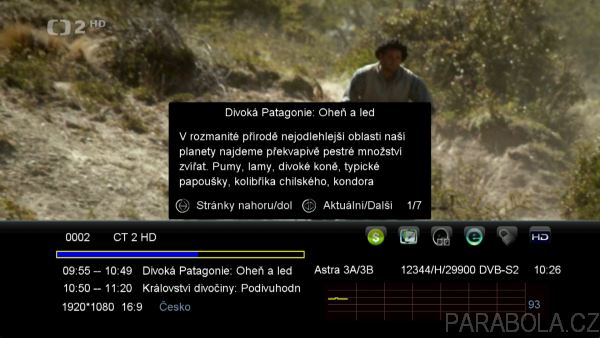
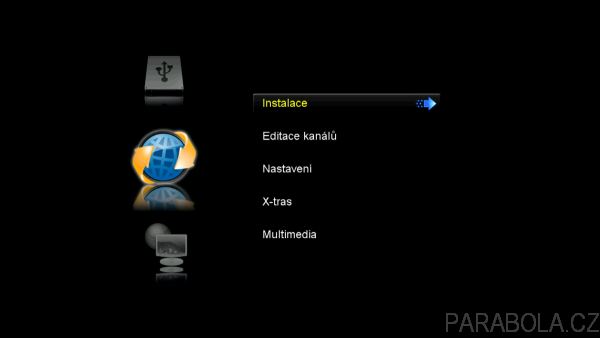
Switching between programs is standard (approx. 2-3 sec). The picture quality was very good on HD and SD programs. ▲ Fig. No. 11 – AB CryptoBox 700HD, Main menu The receiver behaved stably during the testing. The information bar contains information about the running and subsequent program. Detailed information about the show is not truncated in any way, but the used window where they are located is relatively small, here it would like to enlarge it so that the user does not have to switch so much between pages displaying detailed information about the show.
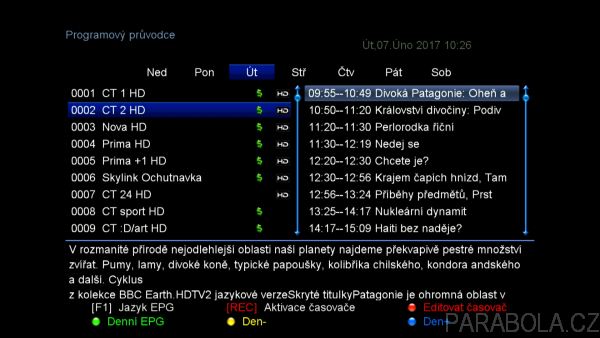
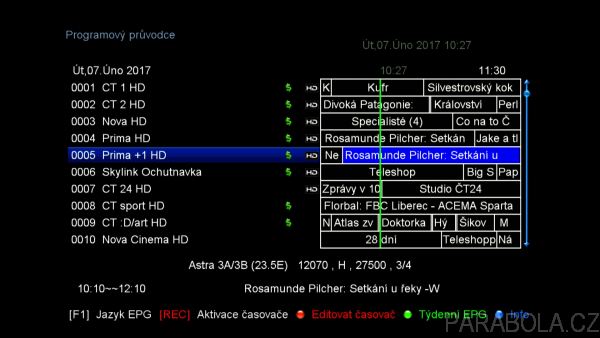
The electronic EPG program guide looks pretty good. There is a classic grid with several programs in the timeline, as well as an EPG of a separate program for several days in advance. Czech and Slovak characters were displayed correctly on the Skylink and freeSAT programs. The receiver can display EPGs up to 7 days in advance if the provider broadcasts them. ▲ Fig. No. 12 – AB CryptoBox 700HD, Editing programs The signal strength and quality are displayed by a bar indicator and in percentages. The audio track is stored on the preset and of course the left or right audio channel is stored on the preset. Subtitles can be stored as a preset, provided that you first enable the display of subtitles in the main menu (the default state is off). The receiver also has a built-in OSD teletext. Czech and Slovak characters are displayed correctly.
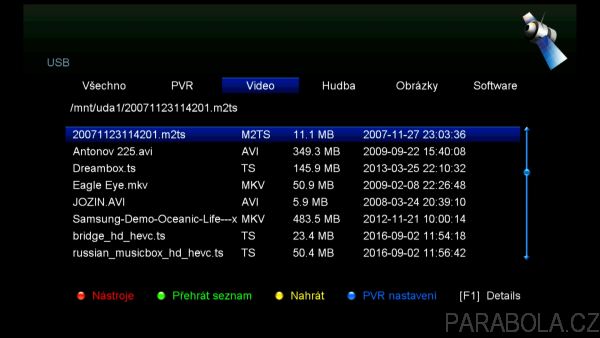
The used media player was quite successful. Plays avi, divx, xvid, mov, mkv, m2ts, ts, mp4, flv files. Because the receiver supports the HEVC / H.265 codec, videos with this codec can be played up to 1080p resolution. Of course, it does not support 4K resolution. Of course, it depends on what video and audio codec the file is created on. Therefore, not all files will be played successfully.
The AB CryptoBox 700HD can also display JPEG or BMP photos and play WAV or MP3 music. Even on the analog output, the photos were displayed with the correct aspect ratio. Loading images was fast, I was just bothered by the transition effects between images that cannot be deactivated. DTS audio is not supported.
Processing AAC audio tracks was trouble-free. HE-AAC audio was without problems (tested on the test audio stream of Czech Radio). The Dolby Digital + (E-AC3) audio was also easily processed by the receiver (tested on the Polish music program “4Fun Gold Hits” on the Hot Bird satellite, where the second audio track in Dolby Digital + is used on this program).
There is a minor bug in the current factory software 1.09.17769 that causes the “audio” button on the remote control to select an audio track not working. The importer was alerted to this fact and promised a speedy remedy. I recommend uploading a “patch” version of this software to the receiver, where this error does not occur
There is also a popular Youtube player. Because Youtube is constantly making changes in its structure, the software developers of AB CryptoBox have opted for an unconventional solution. Any change on Youtube would require the release of patch software. To prevent this, the current special configuration file “youtube.cfg” is always released, which can also be downloaded online directly from the AB CryptoBox menu.
This file must always be installed on the receiver for Youtube player to work correctly. Of course, the file can also be uploaded via a USB flash drive. I really like this solution.
Another interesting application for playing videos is the Dailymotion player. There are also a number of applications such as “weather”, RSS reader, stock index, Google maps and Net Photo (Flickr). There is also a calendar and a large number of games.
The receiver heats up only minimally during operation. Ventilation holes are on all sides of the receiver. The receiver is upgraded using a USB flash drive. It is best to use a PC and STB Channel Editor 1.6 to edit programs.
The boot time of the receiver depends on whether you are using deep sleep mode (power saving stand-by mode), where the power consumption is below 1 W, or you are using normal standby mode. Of course, the user can change how the receiver should behave after switching off in the receiver menu. If you use the normal standby mode, the start of the receiver is practically instantaneous.
You can also adjust the brightness of the display in the menu and whether the clock should be shown on the display in standby mode
Recording, cooperation with external devices in the network
The hard disk cannot be built into the receiver. The receiver has two USB 2.0 ports. For recording purposes, I used a fast flash drive Kingston DTR 3.0 G2 with a capacity of 32 GB, which I connected to the USB 2.0 port of the receiver.
The disk can be formatted directly by the receiver and you can choose which file system to do, FAT32 and NTFS are available. The receiver also allows disk speed detection. You can record one scrambled program and watch another scrambled program or also record it (you are limited to only one transponder).
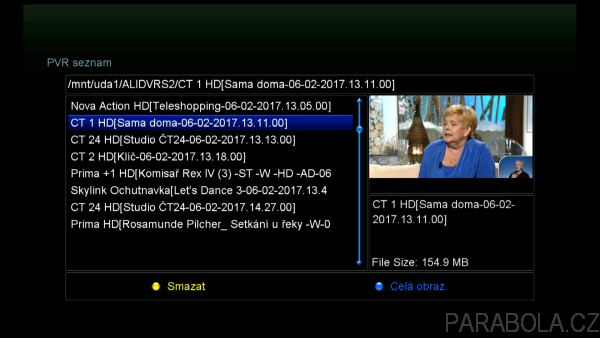
The receiver also supports the timeshift function. The created recordings are with the extension “ts”. Recordings can be transferred to a PC. Recordings from free programs can be played directly and further processed. Unfortunately, recordings from encoded programs are encrypted, thanks to the ALI chipset used. On a PC, it is first necessary to decode such recordings using the special program “PC Tool ALI”. Then it is possible to play these recordings and further process them on a PC. ▲ Fig. No. 19 – AB CryptoBox 700HD, Google maps application I used the Media Player Classic program for playback on a PC, the VLC media player program can also be used. The recordings contain all audio tracks, subtitles and EPG, TXT data is missing.
Rewinding of recordings on the receiver is possible in speeds 2x, 4x, 8x, 16x and 24x. However, rewinding is not smooth. Slow rewinding is not available. The built-in player allows you to quickly move around the timeline and create bookmarks in the recording.
Another multimedia feature of the receiver is the ability to play some IPTV streams – Internet broadcasting of television programs. I successfully tried to play IPTV with http and rtmp protocols. ▲ Fig. No. 20 – AB CryptoBox 700HD, Weather application The receiver also managed to play IPTV streams with variable video resolution. The receiver has a 100 Mbps Ethernet network interface and it is possible to connect a WI-Fi dongle (not included). The recommended WI-Fi adapter is the WI-FI dongle model or, more recently, a more powerful variant
with 5dBi antenna WI-FI dongle 5dBi
The current firmware does not yet support the DLNA function. The receiver supports streaming live broadcasts to Android or iOS based mobile devices. The application is called “G-MScreen” and is available for free download in the Google Play Store or App Store. You can also use the mobile device to control the receiver, schedule recordings, etc.
Cooperation with built-in universal decoder
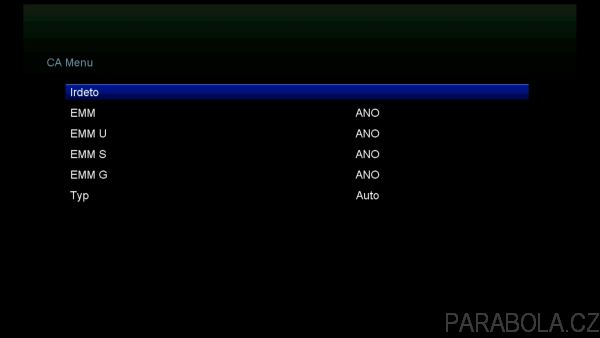
AB CryptoBox has a very well-developed universal decoder function. Already in the factory software it works completely without defects, without any settings by the user. ▲ Fig. No. 21 – AB CryptoBox 700HD, Youtube browser Our decoding cards ICE Irdeto Skylink, ICE Irdeto freeSAT, pure Irdeto Skylink (up to 4288xx series) or Irdeto RTVS and Irdeto Free TV / Plustelka cards work without problems. The ICE Irdeto Skylink decoder card automatically works in Irdeto mode, not in emulated Cryptoworks mode like most cheap receivers with a UNI decoder. In connection with the planned disconnection of the emulated Cryptoworks on the part of the Skylink operator, there will be no problems with AB CryptoBox receivers. That’s certainly good to know.
M7 Irdeto Skylink cards cannot be used in the internal decoder due to the higher security applied on the card!
Conclusion
AB CryptoBox 700HD is a simple FULL HD satellite receiver designed especially for less demanding customers who require trouble-free viewing or possible recording of satellite programs. The receiver excels in its simple operation and stability of operation.
The advantage of the receiver is the Auto FastScan function, which enables fast search of programs of satellite operators Skylink and UPC (freeSAT). Software updates are provided completely automatically. It is also possible to control the receiver using a mobile device and stream live broadcasts from the receiver to it. ▲ Fig. No. 22 – AB CryptoBox 700HD, Information about the receiver AB CryptoBox receivers are characterized by high software support from the importer, who works closely on software development with the manufacturer. Thank you to the company for lending the receiver